




.png)
25 Broadway 10th Floor
New York, NY 10004
In brief
- Cultural institutions' peak-season friction reveals systemic gaps in navigation, staff support, and accessibility that persist year-round.
- Digital technology should function as infrastructure, not an overlay—amplifying mission rather than competing with the visitor experience.
- Five core considerations guide effective digital investment: appropriate placement, clear welcome moments, accessibility by default, long-term staff support, and ecosystem consistency.
- A disciplined CMS and component-based design systems (e.g., Figma) ensure content stays fresh and aligned across all digital touchpoints.
Over the holiday season, cultural institutions become some of the most active indoor spaces a city has.
Warm, social, meaningful, and yes, often crowded.Those moments make challenges visible (navigation friction, staff strain, accessibility gaps) but they’re not seasonal problems. They’re signals of how well (or poorly) an institution’s systems support its mission every day.
This is where investing in the right technology matters. Not as a layer on top, but as infrastructure; supporting visitors, empowering staff, and strengthening operations long after peak moments pass.
We’ve outlined our thinking in 5 Digital Considerations for Cultural Institutions; a framework for using technology to elevate purpose, not compete with it.
1. Appropriate digital placement
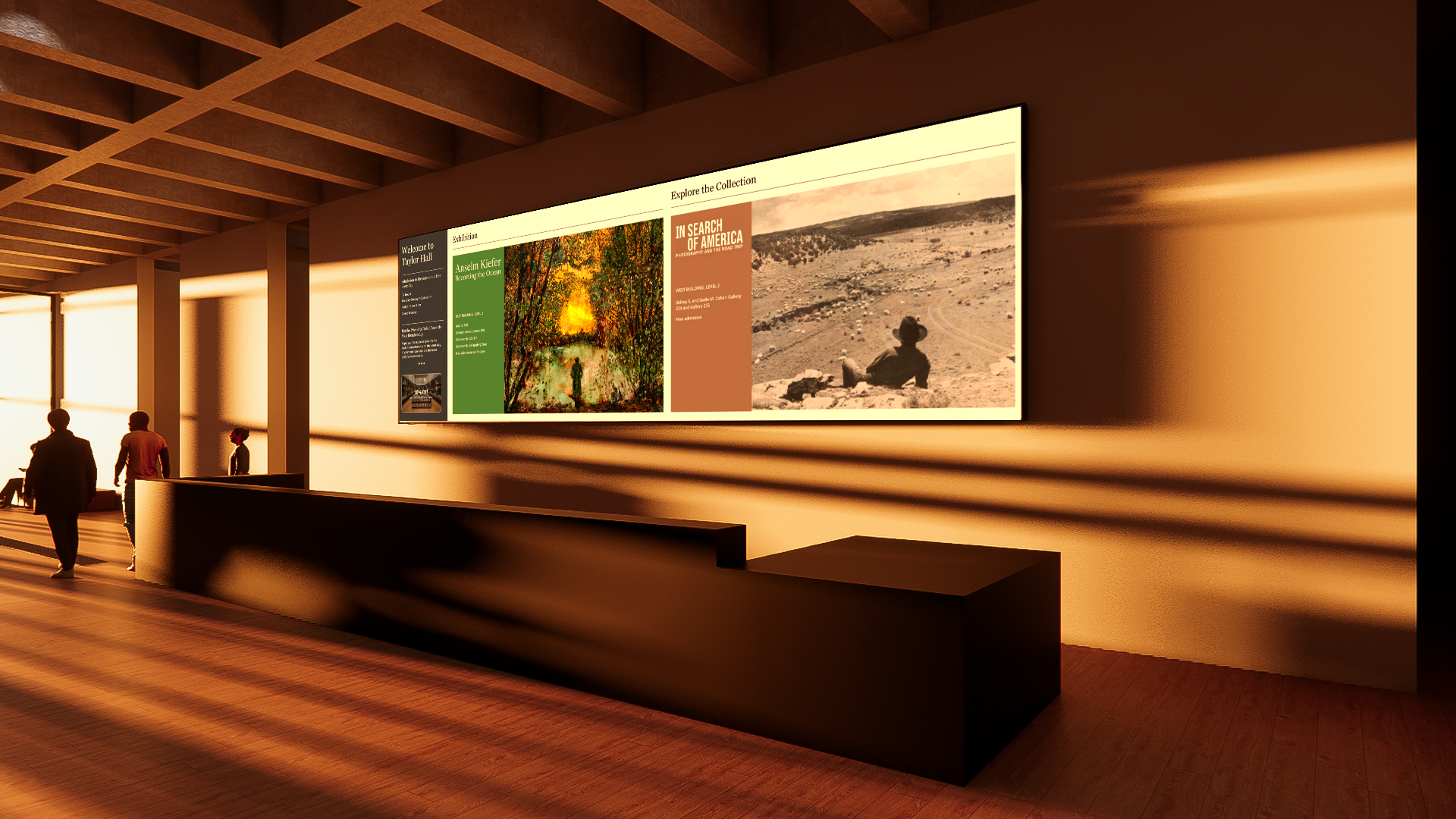
A screen is an extension of the building. Pixel pitch, flush mounting, lighting, sight lines, trim details, all of it determines whether the experience feels intentional or intrusive.
2. Clear welcome moment
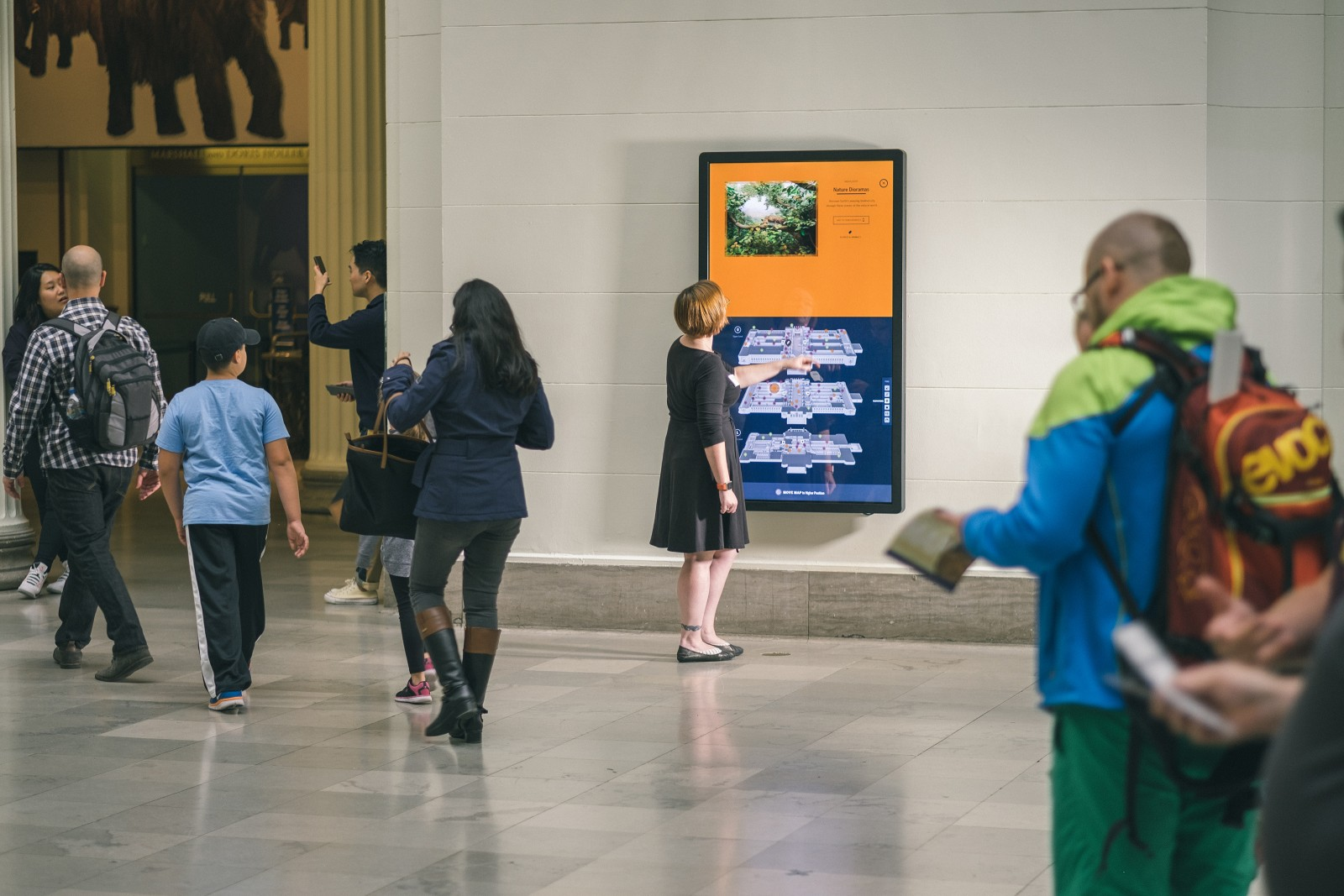
Visitors make dozens of micro-decisions the moment they walk in. Your digital layer should make those decisions effortless. Where am I? What’s happening today? How do I get there?
3. Accessible by default
Good design works for everyone. Readable type. High contrast. Multi-language support. Data being shared to accessible devices. Clear hierarchy. Minimal cognitive load. Accessibility isn’t an add-on, it’s the foundation of an inclusive museum experience.
4. Long-term support
Systems work when staff are trained and supported to run them. That means trained staff, clear workflows for keeping content fresh, habits that sustain updates, and feedback loops that inform what evolves next. A disciplined CMS protects consistency and the visitor experience over time.
5. Ecosystem consistency
LED walls, kiosks, pylons, sensors, scheduling, CMS workflows need to be maintained. Component-based design systems (in tools like Figma) help keep everything aligned. Digital tools are effective when part of a connected system.
When digital investment is grounded in clarity, architectural constraints, accessibility, governance, and ecosystem thinking, technology stops competing with the experience, and starts amplifying the mission.
What principles guide your digital strategy?
Frequently asked questions
What are the key digital considerations for cultural institutions?
The article outlines five: appropriate digital placement (screens as building extensions), clear welcome moments (effortless micro-decisions at entry), accessibility by default (readable type, high contrast, multi-language), long-term support (trained staff, content workflows), and ecosystem consistency (LED walls, kiosks, sensors, CMS alignment).
How can cultural institutions make their digital signage more accessible?
Accessibility should be foundational, not an add-on. This means using readable type, high contrast, multi-language support, sharing data to accessible devices, clear hierarchy, and minimizing cognitive load to create an inclusive experience for all visitors.
Why is long-term support important for digital systems in museums?
Systems work when staff are trained and supported to run them. This requires clear workflows for keeping content fresh, habits that sustain updates, and feedback loops that inform evolution. A disciplined CMS protects consistency and the visitor experience over time.
What does 'appropriate digital placement' mean for cultural spaces?
A screen is an extension of the building. Factors like pixel pitch, flush mounting, lighting, sight lines, and trim details determine whether the experience feels intentional or intrusive—ensuring technology integrates seamlessly with architecture.
Related reading
- What’s Next with Noble: Cultural Spaces & Digital Engagement
- Living Landmarks: This Week in Cultural Experience
- Immersive Worlds: This Week in Cultural Experience
What is Exhibit Design?
Exhibit design is the discipline of planning and creating exhibitions—combining spatial layout, graphics, lighting, and digital media—to communicate ideas and engage visitors. In cultural institutions, exhibit design shapes how people move through, understand, and remember a space.
Learn more about the sectors Noble serves.